Compare sprites in Godot
See the six generated units in a running Godot 4.5.1 scene. The upper row loops Tiny Swords idle animations. The lower row plays the 50 extracted frames per unit from the mixed-action clip.
Inspect the training ground
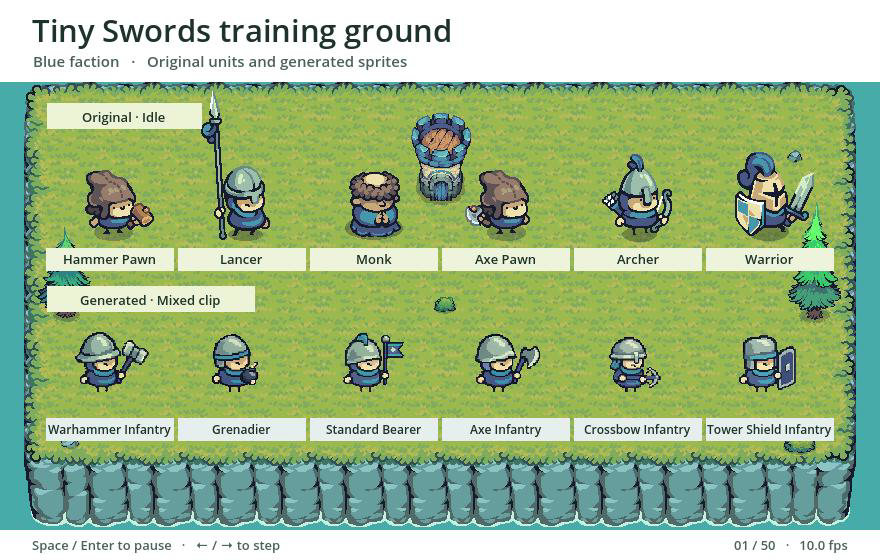
The generated row carries over the blue-green palette and compact proportions. The originals have crisper contours and visible ground shadows. In the generated sequence, the feet have no contact shadow and some fast weapon and effect edges soften.
The scene renders both rows with nearest-neighbor filtering and aligns each column horizontally. It displays the original sprites at 1× and the extracted frames at 0.5× to bring visible body heights closer. Space or Enter pauses the local scene. Left and Right step through frames.
Watch the workflow
Follow the six-unit batch from importing the MP4 and crop layout to keying, choosing poses, exporting the sprite sheet and reviewing the result in Godot.